
Uploading a great video is only half the job.
The real challenge is getting people to find it.
You might spend hours recording, editing, and creating thumbnails, only to see your video stuck at a few dozen views. It happens to almost every new creator. The good news is that you don’t always need expensive software to improve your YouTube rankings.
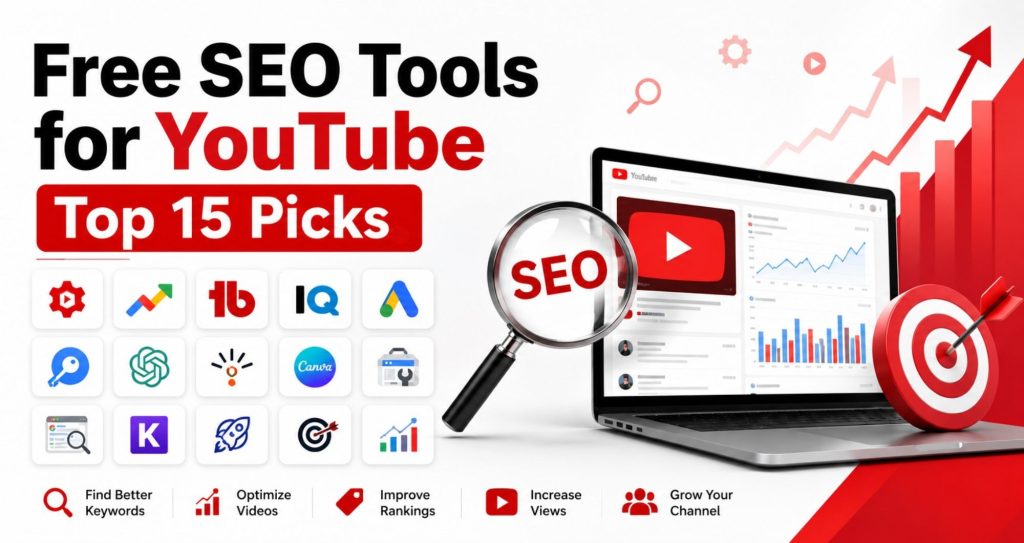
There are plenty of free SEO tools for YouTube that can help you discover better keywords, write stronger titles, improve descriptions, analyze competitors, and understand what your audience is searching for.
Whether you’re starting your first YouTube channel or trying to grow an existing one, these tools can make your work much easier.
Let’s look at the best free options available in 2026.
Quick Answer
Free SEO tools for YouTube help creators optimize videos by finding keywords, analyzing competitors, improving titles, generating tags, and tracking performance. Some of the best free tools include YouTube Studio, Google Trends, TubeBuddy, vidIQ, Keyword Tool, and ChatGPT. Used correctly, they can improve your video’s visibility without any subscription cost.
Why Does YouTube SEO Matter?
Think about how you use YouTube.
When you’re looking for a recipe, a tutorial, or a product review, you probably type a few words into the search bar.
Your viewers do the same.
If your videos aren’t optimized for those searches, YouTube has a harder time understanding what your content is about.
Good YouTube SEO helps:
- Improve video visibility
- Reach the right audience
- Increase organic views
- Improve click-through rates
- Keep viewers watching longer
- Grow subscribers naturally
YouTube is the second-largest search engine in the world. That means people aren’t just watching videos. They’re actively searching for answers.
What Can Free SEO Tools for YouTube Help You Do?
Many beginners think SEO only means adding keywords.
There’s much more to it.
A good YouTube SEO tool can help you:
- Find popular search terms
- Discover low-competition keywords
- Generate video tags
- Improve titles
- Write better descriptions
- Analyze competitors
- Track rankings
- Find trending topics
- Understand audience behaviour
Instead of guessing, you make decisions based on real data.
1. YouTube Studio
If you own a YouTube channel, you already have access to one of the best free SEO tools.
Many creators ignore it because it’s built into YouTube.
That’s a mistake.
YouTube Studio gives valuable information about:
- Search terms people use
- Audience retention
- Click-through rate
- Watch time
- Returning viewers
- Subscriber growth
One metric I always recommend checking is Audience Retention.
Imagine two videos.
Both receive 1,000 views.
One keeps viewers watching for six minutes.
The other loses viewers after thirty seconds.
Which video do you think YouTube will recommend?
Retention matters more than many beginners realize.
Best for: Analytics and performance tracking
2. Google Trends
Most people know Google Trends for website SEO.
Very few use it for YouTube.
That’s unfortunate because it has a YouTube Search filter.
You can compare keywords before making a video.
For example:
- AI Tools
- ChatGPT
- Google Gemini
Instead of guessing which topic is more popular, you can see actual search trends.
It’s especially useful when planning your content calendar.
Best for: Trend research
3. TubeBuddy
TubeBuddy has been popular among YouTube creators for years.
Its free version includes several useful features.
You can:
- Find keyword ideas
- Generate tags
- Optimize titles
- Review basic SEO scores
- Analyze competitors
- Check search volume
One thing beginners like is the keyword explorer.
Instead of choosing random keywords, you can quickly see whether they’re competitive.
Pros
- Beginner-friendly
- Easy browser extension
- Helpful keyword suggestions
Best for: Video optimization
4. vidIQ
Many creators compare vidIQ with TubeBuddy.
Both are good.
vidIQ focuses heavily on keyword research and channel growth.
The free version lets you:
- Research keywords
- View competitor tags
- Track video performance
- Analyze trends
- Generate ideas
If you’re struggling to decide what video to make next, vidIQ can give plenty of inspiration.
Best for: Keyword research
5. Google Keyword Planner
People often ask,
“Isn’t this tool only for Google Ads?”
Not really.
It can also provide useful keyword ideas that people search on Google.
Many of those searches also appear on YouTube.
Suppose you want to create videos about digital marketing.
You might discover searches like:
- SEO Tutorial
- Google Ads Course
- Instagram Marketing
- Affiliate Marketing
These ideas can become your next YouTube videos.
Best for: Keyword discovery
6. Keyword Tool
Keyword Tool is simple but effective.
It collects autocomplete suggestions from YouTube.
These suggestions come directly from what users are searching.
That’s why they’re useful.
Instead of targeting broad keywords like:
SEO
You may discover:
- SEO tutorial for beginners
- SEO tips 2026
- SEO interview questions
- SEO course free
Long-tail keywords often have less competition.
That makes them perfect for newer channels.
Best for: Long-tail keyword research
7. ChatGPT
Many creators now use ChatGPT during their content planning.
It won’t replace keyword research tools.
But it can save a lot of time.
You can ask it to:
- Suggest titles
- Write descriptions
- Generate video outlines
- Brainstorm hooks
- Create FAQs
- Improve scripts
For example,
Instead of asking,
“Give me YouTube titles.”
Ask,
“Generate 20 YouTube titles for beginners learning SEO in 2026.”
The results become much more useful.
Always review and edit the output before publishing.
Best for: Content planning
8. AnswerThePublic
Sometimes finding video ideas feels harder than creating the video itself.
AnswerThePublic solves that problem.
It collects real questions people ask online.
Imagine your topic is YouTube SEO.
You may discover questions like:
- What is YouTube SEO?
- How do YouTube tags work?
- How many keywords should I use?
- Does YouTube read descriptions?
- Can I rank without tags?
Every question can become a separate video.
This is one of the easiest ways to build a content strategy around what your audience genuinely wants to know.
Best for: Finding content ideas and FAQs
9. Google Search Console
Many creators don’t realize that YouTube videos can also appear in Google Search.
If you embed your videos on your website or blog, Google Search Console becomes a valuable tool.
It helps you understand:
- Which search queries bring visitors
- Which pages receive the most clicks
- Click-through rate (CTR)
- Average search position
- Indexing issues
For example, if your blog post includes a YouTube video and starts ranking for a keyword, you can update both the article and the video to improve traffic.
Best for: Tracking organic search performance
10. Canva
Can thumbnails affect SEO?
Not directly.
But they affect something just as important—your click-through rate (CTR).
If people don’t click your video, YouTube gets fewer signals that your content is worth recommending.
Canva’s free version lets you create clean, professional thumbnails without design experience.
A few simple tips:
- Keep text short.
- Use high contrast.
- Focus on one main idea.
- Avoid clutter.
I’ve seen videos with average content perform well simply because the thumbnail encouraged people to click.
Best for: Designing YouTube thumbnails
11. Google Gemini
Google Gemini is becoming a useful brainstorming assistant for creators.
It can help you:
- Find content angles
- Create video outlines
- Improve introductions
- Suggest titles
- Rewrite descriptions
- Generate FAQs
Use it as a writing partner, not as a replacement for your own ideas.
The more details you provide in your prompt, the better the suggestions you’ll receive.
Best for: Content ideation
12. Ahrefs Free Keyword Generator
Most people know Ahrefs as a premium SEO platform.
What many don’t know is that it also offers free keyword tools.
You can discover:
- Keyword ideas
- Question-based searches
- Related topics
- Long-tail keywords
If your channel covers SEO, digital marketing, or technology, this tool can uncover topics people are actively searching for.
Best for: Finding keyword ideas
13. RapidTags
If writing YouTube tags feels confusing, RapidTags can save time.
Enter your video topic, and it generates a list of relevant tags.
Tags don’t carry the same weight they once did, but they still help YouTube understand your content, especially when your title or topic has different spellings.
Use tags that genuinely match your video.
Avoid adding unrelated trending keywords to chase views.
Best for: Tag generation
14. Keyword Surfer
Keyword Surfer is a free Chrome extension that displays search volume directly in Google Search.
While it isn’t built specifically for YouTube, it helps you understand how people search for topics before creating videos.
For example, if you notice thousands of monthly searches for a beginner-friendly SEO topic, there’s a good chance viewers are also looking for video explanations.
It’s a quick way to validate content ideas.
Best for: Search volume research
15. Google Docs
It may sound surprising, but Google Docs is one of the most practical free tools for YouTube creators.
Many successful creators write their scripts before recording.
Doing this helps you:
- Stay focused
- Avoid repeating points
- Organize ideas
- Save editing time
You don’t need expensive script-writing software.
A simple document often works perfectly.
Best for: Script writing and planning
Comparison Table
| Tool | Best For | Free Version |
| YouTube Studio | Analytics | Yes |
| Google Trends | Trending topics | Yes |
| TubeBuddy | Video SEO | Yes |
| vidIQ | Keyword research | Yes |
| Google Keyword Planner | Keyword ideas | Yes |
| Keyword Tool | Long-tail keywords | Limited |
| ChatGPT | Content planning | Yes |
| AnswerThePublic | Content ideas | Limited |
| Google Search Console | Search insights | Yes |
| Canva | Thumbnails | Yes |
| Google Gemini | Brainstorming | Yes |
| Ahrefs Free Keyword Generator | Keywords | Yes |
| RapidTags | Tags | Yes |
| Keyword Surfer | Search volume | Yes |
| Google Docs | Script writing | Yes |
How to Choose the Right YouTube SEO Tool
You don’t need all 15 tools.
Start with a few that match your current needs.
If you’re a beginner:
- YouTube Studio
- Google Trends
- ChatGPT
- Canva
If you’re focused on keyword research:
- TubeBuddy
- vidIQ
- Keyword Tool
- Google Keyword Planner
If you’re planning content:
- AnswerThePublic
- Google Gemini
- ChatGPT
Choose tools that simplify your workflow rather than adding more tasks.
Common Mistakes Beginners Make
Many creators expect SEO tools to do all the work.
They can’t.
Here are a few mistakes to avoid:
- Ignoring audience retention
- Choosing keywords that are too broad
- Writing misleading titles
- Using unrelated tags
- Skipping keyword research
- Uploading without custom thumbnails
- Posting videos inconsistently
- Forgetting to update older content
Remember, tools support your strategy. They don’t replace good content.
Expert Tips to Grow Faster
A few habits can make a noticeable difference over time:
- Focus on solving one problem in each video.
- Research keywords before recording.
- Use your main keyword naturally in the title and description.
- Create thumbnails that are simple and easy to read.
- Reply to comments to build engagement.
- Watch your audience retention report after every upload.
- Keep improving based on real data, not guesswork.
Growth on YouTube usually comes from consistency and small improvements, not overnight success.
Frequently Asked Questions
What are the best free SEO tools for YouTube?
Some of the best free tools include YouTube Studio, Google Trends, TubeBuddy, vidIQ, Keyword Tool, ChatGPT, Canva, and Google Keyword Planner. Together, they help with keyword research, video optimization, analytics, and content planning.
Can I grow a YouTube channel using only free SEO tools?
Yes. Many creators start with free tools and achieve steady growth. Success depends more on creating valuable content, understanding your audience, and applying SEO best practices consistently than on paying for premium software.
Which free YouTube SEO tool is best for beginners?
YouTube Studio is the best starting point because it provides performance insights directly from YouTube. Pair it with Google Trends and ChatGPT to research topics and improve your content.
Do YouTube tags still matter?
Tags play a smaller role than they once did, but they can still help YouTube understand your content, especially when keywords have multiple spellings or common variations. Titles, descriptions, watch time, and audience engagement generally have a greater impact.
How often should I use YouTube SEO tools?
Use keyword research tools before creating a video, analytics tools after publishing, and trend research tools regularly to plan future content. Reviewing your performance after each upload helps you improve over time.
Final Thoughts
Creating great videos is important, but helping people discover those videos is just as important.
The good news is that you don’t need a big budget to get started. The free SEO tools for YouTube in this guide can help you find better keywords, understand your audience, improve your titles and thumbnails, and make smarter content decisions.
Start with a few tools, learn how they work, and apply what you discover to every new video. Over time, those small improvements can lead to better rankings, more views, and a growing audience.
If you’re interested in learning YouTube SEO, content marketing, Google Ads, and search engine optimization in a structured way, enrolling in the Best Digital Marketing Course in Nagpur can help you build practical skills through real-world projects and hands-on experience.