
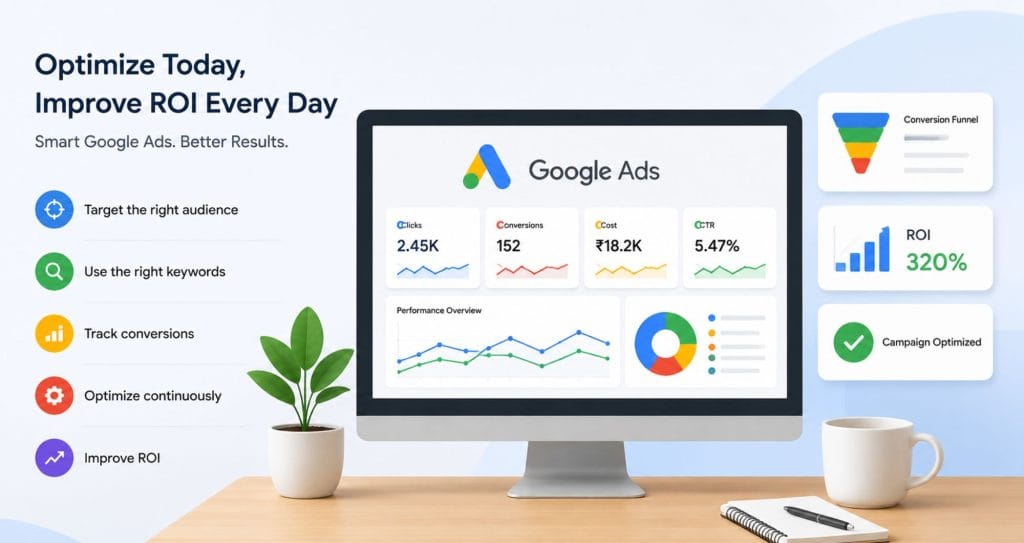
Google Ads can bring leads, sales, and traffic fast. That’s the good part.
The not-so-good part? It can also drain your budget if campaigns are left unattended.
I’ve seen businesses spend thousands on clicks that never turned into customers. At the same time, I’ve seen small companies generate quality leads with a limited budget simply because they paid attention to the details.
If you’re running Google Ads or planning to learn it through Advanced Digital Marketing Training, understanding how to improve ROI matters. More clicks don’t always mean more business. Better clicks do.
Let’s look at 15 practical Google Ads optimization tips that can help you get more value from your ad spend.
What Does ROI Mean in Google Ads?
ROI stands for Return on Investment.
In simple terms, it tells you whether the money you’re spending on ads is generating enough revenue.
For example:
- You spend ₹10,000 on ads
- You generate ₹50,000 in sales
- Your ROI is positive
If you’re spending more than you’re earning, something needs fixing.
That’s where optimization comes in.
1. Focus on High-Intent Keywords
Not all keywords are equal.
Some people are just looking for information. Others are ready to buy.
Let’s say you sell digital marketing courses.
Instead of targeting:
- digital marketing
You may get better results with:
- digital marketing course near me
- advanced digital marketing training
- digital marketing certification course
These keywords often attract people closer to making a decision.
2. Use Negative Keywords Regularly
This is one of the simplest ways to reduce wasted spending.
Negative keywords prevent your ads from appearing for irrelevant searches.
For example, if you’re selling paid training programs, you might exclude:
- free
- jobs
- salary
Check your Search Terms Report every week.
You might be surprised by the searches triggering your ads.
3. Improve Your Ad Copy
People click ads that speak directly to their needs.
Avoid vague messages.
Instead:
- Mention benefits
- Include pricing if relevant
- Highlight offers
- Add a clear call to action
Ask yourself:
Would you click your own ad?
If the answer is no, rewrite it.
4. Test Multiple Ad Variations
Many advertisers create one ad and forget about it.
That’s risky.
Run different versions.
Test:
- Headlines
- Descriptions
- Calls to action
Sometimes, a small headline change can increase clicks significantly.
You won’t know until you test.
5. Optimize Landing Pages
Sending visitors to your homepage isn’t always the best choice.
A dedicated landing page often performs better.
Make sure your page:
- Loads quickly
- Matches the ad message
- Has one clear goal
- Works well on mobile
If your ad promises Advanced Digital Marketing Training, the landing page should focus on that topic immediately.
Not after three scrolls.
6. Improve Quality Score
Google rewards relevance.
Quality Score depends on:
- Expected click-through rate
- Ad relevance
- Landing page experience
Higher Quality Scores can lower your cost per click.
That’s a win for ROI.
Keep your keywords, ads, and landing pages closely connected.
7. Use Conversion Tracking
This sounds obvious, but many advertisers still skip it.
Without tracking, you’re guessing.
Track:
- Form submissions
- Phone calls
- Purchases
- Course inquiries
Data shows what’s working.
Guesswork usually wastes money.
8. Adjust Bids Based on Performance
Some keywords generate leads.
Others generate traffic.
There’s a difference.
Increase bids on keywords that bring conversions.
Reduce spending on poor performers.
Google Ads provides enough data to make these decisions confidently.
9. Target the Right Locations
Location targeting can make a huge difference.
Imagine running ads across India when your service is available only in Nagpur.
That’s unnecessary spending.
Focus on locations where your customers actually live.
Review geographic reports regularly.
You may discover areas generating clicks but no conversions.
10. Optimize for Mobile Users
Many searches now happen on smartphones.
Open your landing page on your own phone.
How does it look?
Can you fill out the form easily?
Can you find the call button quickly?
Small mobile issues often hurt conversions more than people realize.
11. Schedule Ads Strategically
Your audience isn’t active all day.
Check performance by hour and day.
You may notice:
- Better conversions during business hours
- Lower-quality traffic late at night
Adjust ad schedules accordingly.
Spend more when your audience is most likely to convert.
12. Use Audience Targeting
Google lets you refine who sees your ads.
You can target:
- Previous website visitors
- Specific interests
- In-market audiences
This helps you reach people who are already showing buying intent.
Sometimes these audiences convert much better than broad targeting.
13. Monitor Competitor Activity
You don’t need to copy competitors.
Still, keeping an eye on them helps.
Search your target keywords occasionally.
Notice:
- Their offers
- Headlines
- Landing pages
This can reveal opportunities to stand out.
14. Review Search Term Reports Frequently
This report is a goldmine.
It shows the exact searches that triggered your ads.
Look for:
- Irrelevant terms to exclude
- New keyword ideas
- High-converting search phrases
Many successful advertisers check this report every week.
Some check it daily.
15. Keep Learning and Updating Skills
Google Ads changes often.
New features appear.
Old strategies stop working.
That’s why continuous learning matters.
Many professionals invest in Advanced Digital Marketing Training to stay up to date on campaign management, keyword research, conversion tracking, and audience targeting.
The more you understand the platform, the better decisions you make.
And better decisions usually lead to better ROI.
Common Google Ads Optimization Mistakes That Hurt ROI
Avoid these mistakes:
- Ignoring negative keywords
- Sending traffic to weak landing pages
- Not tracking conversions
- Using broad targeting without testing
- Running campaigns without regular reviews
- Focusing only on clicks instead of leads
Many advertisers struggle with these issues.
The good news is they’re fixable.
FAQs
How often should I optimize Google Ads campaigns?
Review campaigns at least once a week. High-budget campaigns may require daily monitoring.
What is a good ROI for Google Ads?
The answer depends on your industry and business goals. Many businesses aim for revenue that is several times higher than ad spend.
Why is my Google Ads campaign getting clicks but no conversions?
Common reasons include poor landing pages, weak offers, slow websites, incorrect targeting, or tracking issues.
Do negative keywords really improve ROI?
Yes. Negative keywords prevent irrelevant traffic and help preserve your budget for valuable searches.
Is Advanced Digital Marketing Training helpful for learning Google Ads?
Yes. Structured training can help you understand campaign setup, keyword research, conversion tracking, audience targeting, and performance analysis much faster.
How long does it take to improve Google Ads performance?
Some improvements can show results within days. Larger changes may take a few weeks as enough data accumulates.
Final Thoughts
Google Ads success rarely comes from one big change.
It’s usually a collection of small improvements made consistently over time.
Start with keyword targeting. Improve your ads. Fix landing pages. Track conversions. Review reports regularly.
Do that for a few months, and you’ll likely see a difference.
The advertisers who get the best ROI aren’t always spending the most money.
They’re paying attention to the details.

