
At first, they sound almost the same. I remember thinking that too. Both help improve your website, both affect rankings, and both are important for Google. So what’s the actual difference?
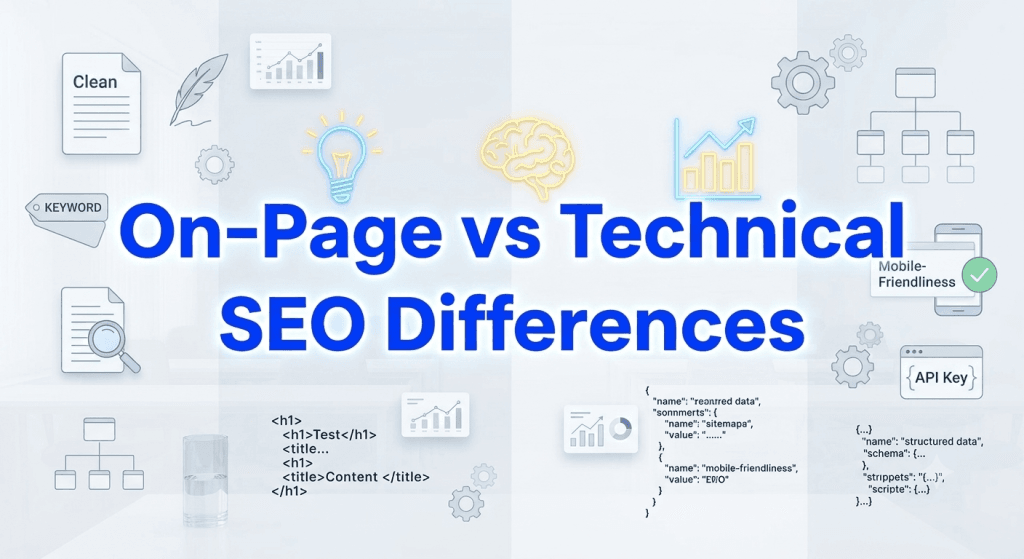
On-Page vs Technical SEO Differences If you’ve recently started learning SEO, you’ve probably come across two terms again and again
The simple answer is this.
On-Page SEO focuses on the content and elements you can see on a webpage. Technical SEO focuses on how your website works behind the scenes. You need both if you want your website to rank well. Ignoring one can slow your progress, even if you’re doing everything else right.
Whether you’re a beginner, a blogger, a business owner, or someone planning to join the best digital marketing course in Nagpur, understanding these two parts of SEO is one of the first skills you should learn.
Let’s start with the basics.
What Is SEO?
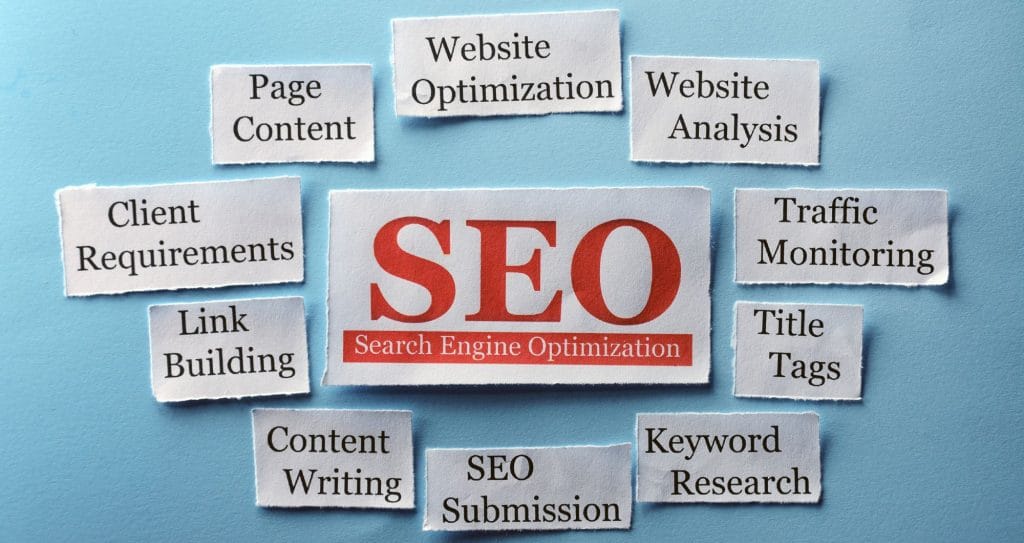
SEO stands for Search Engine Optimization.
It’s the process of helping your website appear higher in search engine results when people search for something related to your content.
For example, imagine you own a bakery in Nagpur.
When someone searches for “best chocolate cake in Nagpur,” you would want your website to appear on the first page of Google. That’s exactly what SEO helps you do. SEO isn’t about tricking search engines.
It’s about making your website useful, easy to understand, and easy to access for both users and search engines.
SEO is usually divided into three parts.
- On-Page SEO
- Technical SEO
- Off-Page SEO
This article focuses on the first two because many beginners confuse them.
What Is On-Page SEO?
On-Page SEO includes everything you do directly on a webpage to improve its visibility in search engines. Think about the things your visitors can actually read and interact with.
These include:
- Page titles
- Headings
- Content
- Images
- Internal links
- Meta descriptions
- URL structure
- Keyword placement
The goal is simple.
Create content that answers the user’s question while making it easy for Google to understand what the page is about.
Let’s take an example.
Suppose you’re writing a blog titled “Best Digital Marketing Course in Nagpur.”
Good On-Page SEO would include:
- Using the keyword naturally in the title
- Writing helpful content
- Adding proper H2 and H3 headings
- Compressing images
- Writing image alt text
- Linking to related articles
- Creating an attractive meta description
These are all things you can edit directly on the page.
Why Is On-Page SEO Important?
Google wants to show useful content. If your page answers a user’s question better than other pages, you have a better chance of ranking.
Good On-Page SEO helps Google understand:
- What your page is about
- Which keywords it targets
- Whether your content matches search intent
- How useful your information is
At the same time, it improves the experience for your readers.
Nobody likes reading a page filled with huge paragraphs and confusing information. Short sections,Clear headings,Helpful examples.
That’s what keeps people reading.
What Is Technical SEO?
Technical SEO is different. Your visitors usually don’t notice it. But Google certainly does.
Technical SEO focuses on improving the technical health of your website so search engines can crawl, index, and understand it properly.
Some common Technical SEO tasks include:
- Improving website speed
- Fixing broken links
- Creating XML sitemaps
- Improving Core Web Vitals
- Making the website mobile-friendly
- Fixing crawl errors
- Adding structured data
- Using HTTPS security
Think of it this way.
On-Page SEO is like decorating your house. Technical SEO makes sure the foundation, electricity, plumbing, and doors all work properly. Without a strong foundation, even the most beautiful house won’t last.
The same applies to websites.
Why You Need Both
Many beginners spend weeks writing content but ignore Technical SEO. Others focus only on website speed while forgetting to create useful articles. Neither approach works well. Google wants websites that are both useful and technically sound.
That’s why successful websites usually combine strong content with a healthy website structure.
If you’re planning to build a career in SEO, freelancing, blogging, or run your own business website, learning both skills is essential.
Many students joining the digital marketing course in Nagpur begin with On-Page SEO because it’s easier to understand. Once those basics are clear, Technical SEO becomes much less confusing.
In the next section, we’ll compare On-Page SEO and Technical SEO side by side and look at the 10 proven differences every beginner should know.
Now that you understand the basics, let’s compare On-Page SEO and Technical SEO side by side.
Both work toward the same goal.
Helping your website rank higher in search engines.
The difference is how they achieve it.
On-Page SEO vs Technical SEO: Quick Comparison
| Feature | On-Page SEO | Technical SEO |
| Focus | Content and page elements | Website performance and structure |
| Works On | Individual webpages | Entire website |
| Main Goal | Improve content relevance | Help search engines crawl and index |
| User Visibility | Visible to users | Mostly invisible |
| Examples | Keywords, headings, images | Site speed, sitemap, HTTPS |
Let’s look at each difference in detail.
1. Content vs Website Structure
This is the biggest difference.
On-Page SEO is all about the content your visitors read. Technical SEO focuses on how your website is built behind the scenes.
For example:
On-Page SEO includes:
- Writing useful articles
- Adding keywords naturally
- Using proper headings
- Creating internal links
Technical SEO includes:
- Improving website speed
- Creating XML sitemaps
- Fixing crawl errors
- Improving server performance
Think about a library. Books represent On-Page SEO.
The library building itself represents Technical SEO.
Both are important.
2. Keyword Optimization vs Website Performance
Keywords play a major role in On-Page SEO. If your blog is about the best digital marketing course in Nagpur, Google should easily understand that topic.
You can help by placing the keyword naturally in:
- Title
- URL
- First paragraph
- Headings
- Image alt text
- Meta description
Technical SEO doesn’t focus on keywords.
Instead, it focuses on performance.
Questions like these matter:
- Does your page load quickly?
- Is it mobile-friendly?
- Does HTTPS work correctly?
- Can Google crawl every page?
A fast website often keeps visitors engaged longer.
Nobody likes waiting several seconds for a page to open.
3. User Experience vs Search Engine Accessibility
On-Page SEO improves the reading experience.
You make your content easier to understand by using:
- Short paragraphs
- Bullet points
- Clear headings
- Relevant images
- Internal links
Technical SEO helps search engines understand your website.
Without proper technical setup, Google may struggle to index your pages.
Imagine writing the perfect article.
Now imagine Google can’t even find it.
That happens more often than people think.
4. Easy Changes vs Technical Changes
One reason beginners enjoy learning On-Page SEO is because the changes are simple.
You can update:
- Headlines
- Content
- Meta titles
- Images
- Keywords
Most website owners can handle these tasks without coding knowledge. Technical SEO usually requires a little more experience. To improve your website’s Technical SEO, you can use tools like Google Search Console, Screaming Frog SEO Spider, and PageSpeed Insights
Tasks might include:
- Fixing redirect chains
- Improving Core Web Vitals
- Optimizing JavaScript
- Repairing broken links
- Updating robots.txt
These tasks often involve your website’s backend.
That’s why many beginners learn On-Page SEO first before moving into Technical SEO. If you’re planning to join the best digital marketing course in Nagpur, you’ll usually learn On-Page SEO before diving into technical concepts.
5. Individual Pages vs Entire Website
On-Page SEO focuses on one page at a time. For example, you might optimize a blog titled:
“10 Proven On-Page vs Technical SEO Differences”
You’ll improve:
- Content
- Headings
- Images
- Internal links
- Meta description
Technical SEO affects the whole website. A single technical issue can impact hundreds of pages.
For example:
- Slow hosting
- Poor mobile experience
- Broken sitemap
- Crawl errors
- Duplicate URLs
These problems don’t just affect one blog. They can reduce the visibility of your entire website.
Which One Is More Important?
Honestly?
It’s difficult to choose.
If your website has amazing content but Google can’t crawl it properly, rankings become difficult. If your website loads quickly but the content doesn’t answer the user’s question, visitors won’t stay long. The best websites combine both. That’s exactly what Google wants to reward.
When writing SEO content, ask yourself:
- Does this article solve a real problem?
- Am I explaining the topic clearly?
- Have I included accurate information?
- Would I trust this article if I found it on Google?
For example, if you’re writing about the best digital marketing course in Nagpur, don’t just list course names.
Explain:
- What students will learn
- Who the course is suitable for
- Practical projects included
- Career opportunities
- Your own observations or real examples if possible
That’s the type of content Google prefers because it genuinely helps readers. Good SEO is no longer just about keywords.
It’s about earning trust.
6. Meta Tags vs XML Sitemap
Meta tags are part of On-Page SEO. They tell search engines what a specific page is about.
Some important meta tags include:
- Meta title
- Meta description
- Image alt text
A well-written meta title can improve your click-through rate because it’s the first thing users see in Google Search.
Technical SEO uses an XML sitemap.
A sitemap acts like a roadmap for search engines. It lists the important pages on your website so Google can discover and index them more easily.
Without a sitemap, new pages may take longer to appear in search results.
7. Internal Linking vs Crawlability
Internal links connect one page of your website to another.
For example, if you’re writing about keyword research, you can link to another article about content marketing or technical SEO.
Internal linking helps:
- Users find related content
- Search engines understand your website structure
- Spread page authority across your website
Technical SEO focuses on crawlability.
Google’s bots need to move from one page to another without running into errors. Broken links, blocked pages, and redirect loops can stop that from happening.
8. Content Quality vs Core Web Vitals
Content quality is one of the strongest On-Page SEO signals.
Ask yourself before publishing:
- Does this article answer the user’s question?
- Is the information accurate?
- Is it easy to read?
- Have I added examples?
Google also measures how your website performs. This is where Core Web Vitals come in.
They evaluate:
- Loading speed
- Visual stability
- User interaction speed
If your website feels slow or unstable, visitors may leave before reading your content.
9. URL Optimization vs Website Security
Clean URLs help both users and search engines.
A good URL looks like this:
yourwebsite.com/on-page-seo-vs-technical-seo
Avoid long URLs filled with numbers or random characters. Technical SEO focuses on website security. Every website should use HTTPS. A secure website protects user data and builds trust. Google also treats HTTPS as a ranking signal. If your browser shows “Not Secure,” many visitors may leave immediately.
10. Content Updates vs Website Maintenance
On-Page SEO doesn’t end after publishing. You should update older articles regularly.
For example:
- Add fresh statistics
- Replace outdated screenshots
- Improve headings
- Answer new user questions
- Refresh keywords when needed
Google prefers content that stays useful over time. Technical SEO also requires regular maintenance.
Check your website for:
- Broken links
- Crawl errors
- Slow pages
- Duplicate content
- Mobile usability issues
A healthy website performs better in the long run.
Common Mistakes Beginners Make
When people start learning SEO, they often focus on just one side. Here are a few mistakes worth avoiding.
- Stuffing keywords into every paragraph
- Ignoring website speed
- Publishing thin content
- Forgetting image optimization
- Not using internal links
- Skipping mobile optimization
- Never updating old articles
- Ignoring Google Search Console reports
SEO works best when all the pieces work together.
Simple On-Page SEO Checklist
Before publishing any page, check these points.
- Use your primary keyword naturally
- Write a clear SEO title
- Create a compelling meta description
- Add H2 and H3 headings
- Use short paragraphs
- Compress images
- Add image alt text
- Include internal links
- Link to trustworthy external sources when relevant
- Make the content easy to read
Simple Technical SEO Checklist
Review your website regularly.
- Improve page speed
- Make your site mobile-friendly
- Use HTTPS
- Create an XML sitemap
- Submit the sitemap to Google Search Console
- Fix broken links
- Check crawl errors
- Improve Core Web Vitals
- Remove duplicate pages
- Keep plugins and software updated
Which SEO Skill Should You Learn First?
If you’re completely new to SEO, start with On-Page SEO. It’s easier to understand because you work directly with content. Once you’re comfortable writing optimized pages, begin learning Technical SEO. That combination gives you a strong foundation.
Many beginners who join the best digital marketing course in Nagpur follow the same learning path. They first understand keyword research, content writing, and On-Page SEO before moving to website audits, indexing, and Technical SEO.
Learning one step at a time makes the process much less overwhelming.
Frequently Asked Questions
Is On-Page SEO easier than Technical SEO?
Yes. On-Page SEO is generally easier for beginners because it focuses on content, keywords, headings, and page structure. Technical SEO often involves website settings and performance improvements.
Can a website rank with only On-Page SEO?
A website may rank for some keywords if the content is strong, but ignoring Technical SEO can limit its performance. Search engines still need to crawl, index, and understand your website properly.
Which is better for beginners?
Most beginners should start with On-Page SEO. Once the basics are clear, learning Technical SEO becomes much easier.
How often should I perform a Technical SEO audit?
Checking your website every month is a good habit. Regular audits help you identify crawl errors, broken links, speed issues, and indexing problems before they affect rankings.
Does Google consider both On-Page and Technical SEO?
Yes. Google evaluates both. Helpful content improves relevance, while a technically healthy website improves crawling, indexing, and user experience.
Final Thoughts
On-Page SEO and Technical SEO are not competitors.
They work together.
On-Page SEO helps Google understand what your content is about. Technical SEO makes sure Google can find, crawl, and index that content without problems.
If you only focus on one, you’re missing half of the picture.
Start by creating helpful content that answers real questions. Then improve your website’s speed, structure, and overall health. Small improvements made consistently often lead to better results over time.
If you’re serious about building a career in SEO, freelancing, blogging, or growing your own business, learning both skills is essential. Enrolling in the best digital marketing course in Nagpur can also help you gain practical experience through live projects, SEO tools, and real-world case studies.
Keep learning.
Keep testing.
SEO changes over time, but one thing stays the same. Websites that help people and provide a smooth user experience have the best chance of earning long-term visibility in Google Search.
